Description
Control the smoking process from your computer
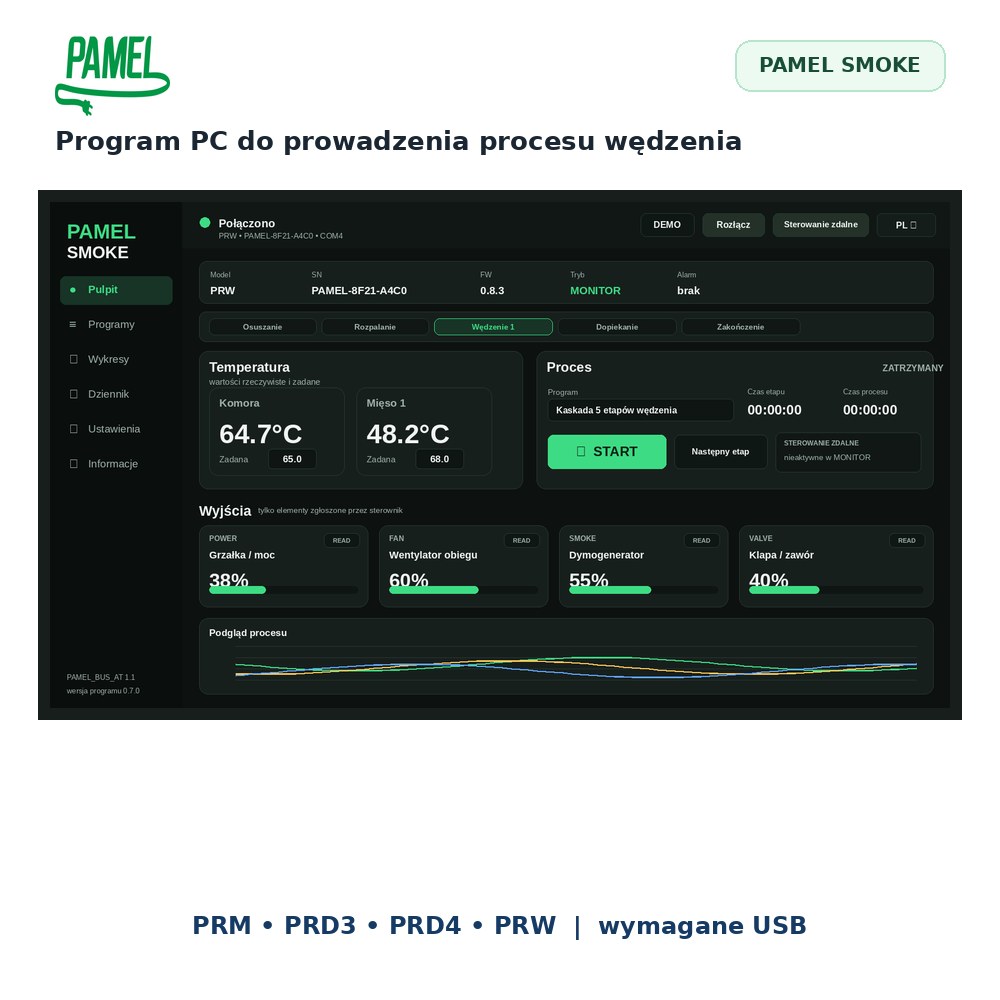
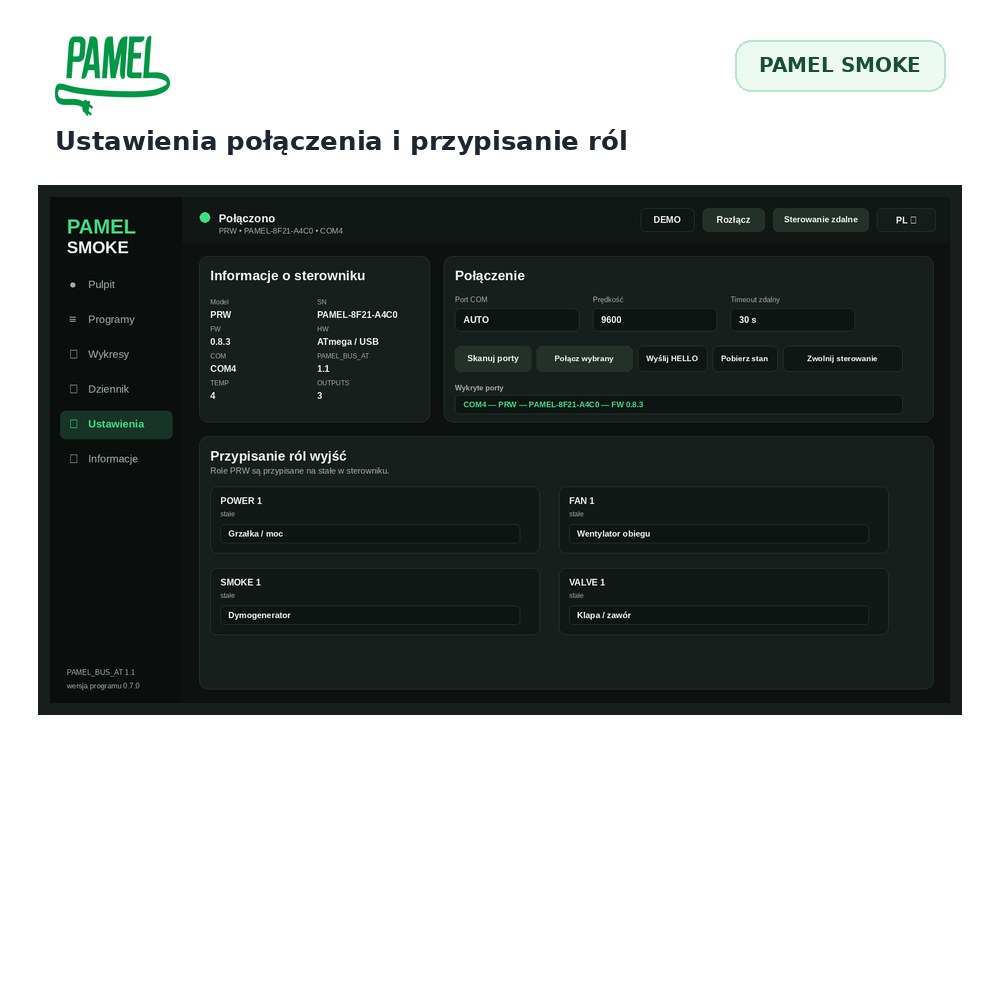
PAMEL SMOKE is a Windows program for compatible PAMEL controllers fitted with USB. It communicates with the controller in both directions: reads 1–5 temperatures, power and status, and also sends commands – setpoints, power and automatic programme stages.

IMPORTANT – USB interface required
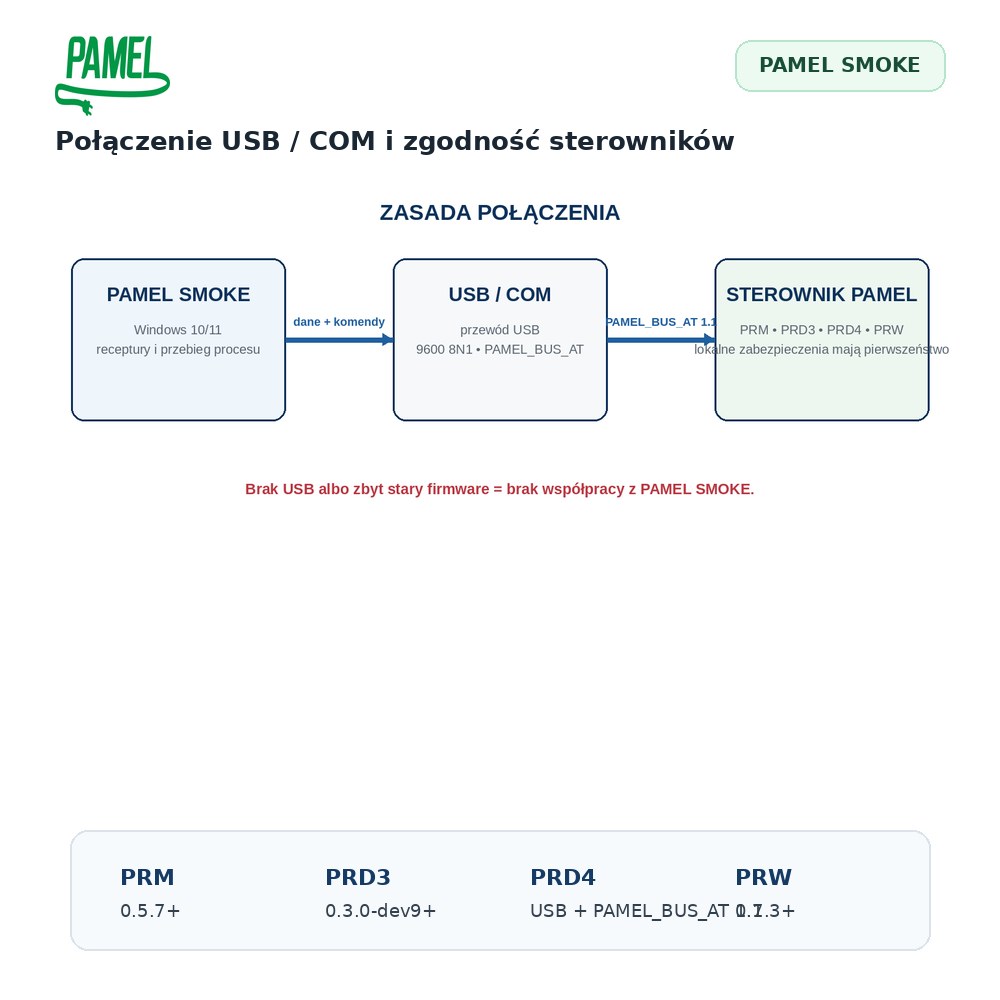
To use PAMEL SMOKE, the compatible PAMEL controller must be purchased with or equipped with the optional USB/COM interface. The software cannot communicate with a controller that does not have this hardware.
Not just a viewer. SMOKE also sends commands to the controller
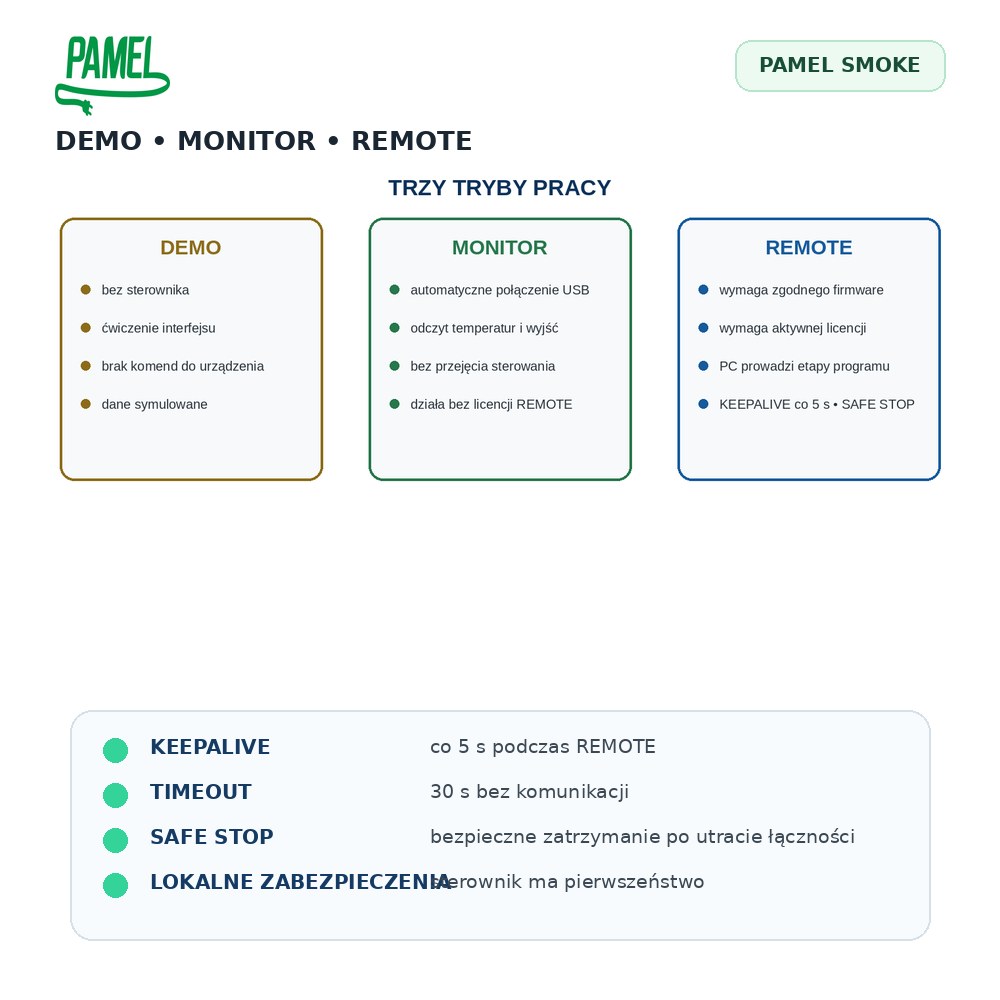
Unlike a simple logger, PAMEL SMOKE can control a compatible controller. The computer becomes an operator panel for the smoking process, while the controller itself remains responsible for direct power and temperature control.
Two-way communication
The program reads temperatures and device status and can send setpoints, power and programme commands over USB/COM.
Up to 5 probes + power
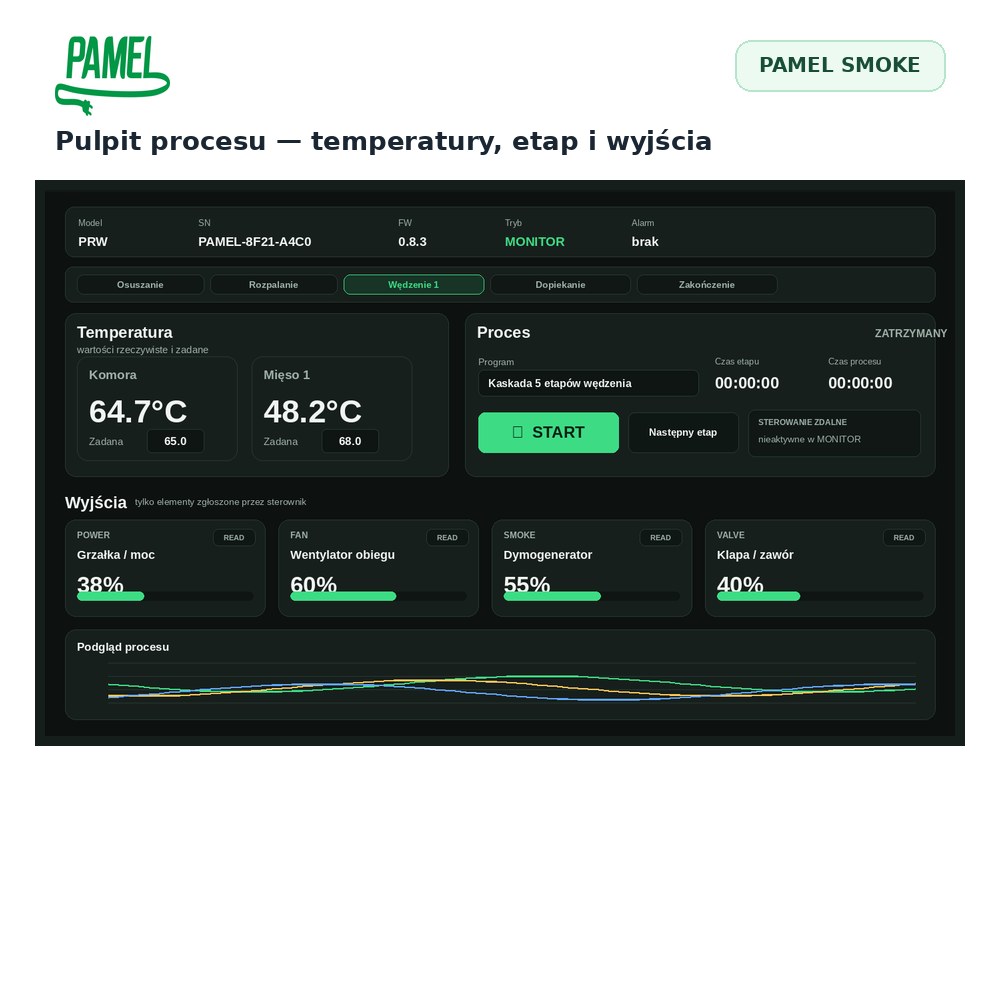
Depending on the controller, the application can show up to five temperature channels together with current heater power and operating status.
Recording without interrupting control
Measurements and events are saved while control continues. You can later return to the history or export it.

Live temperature chart
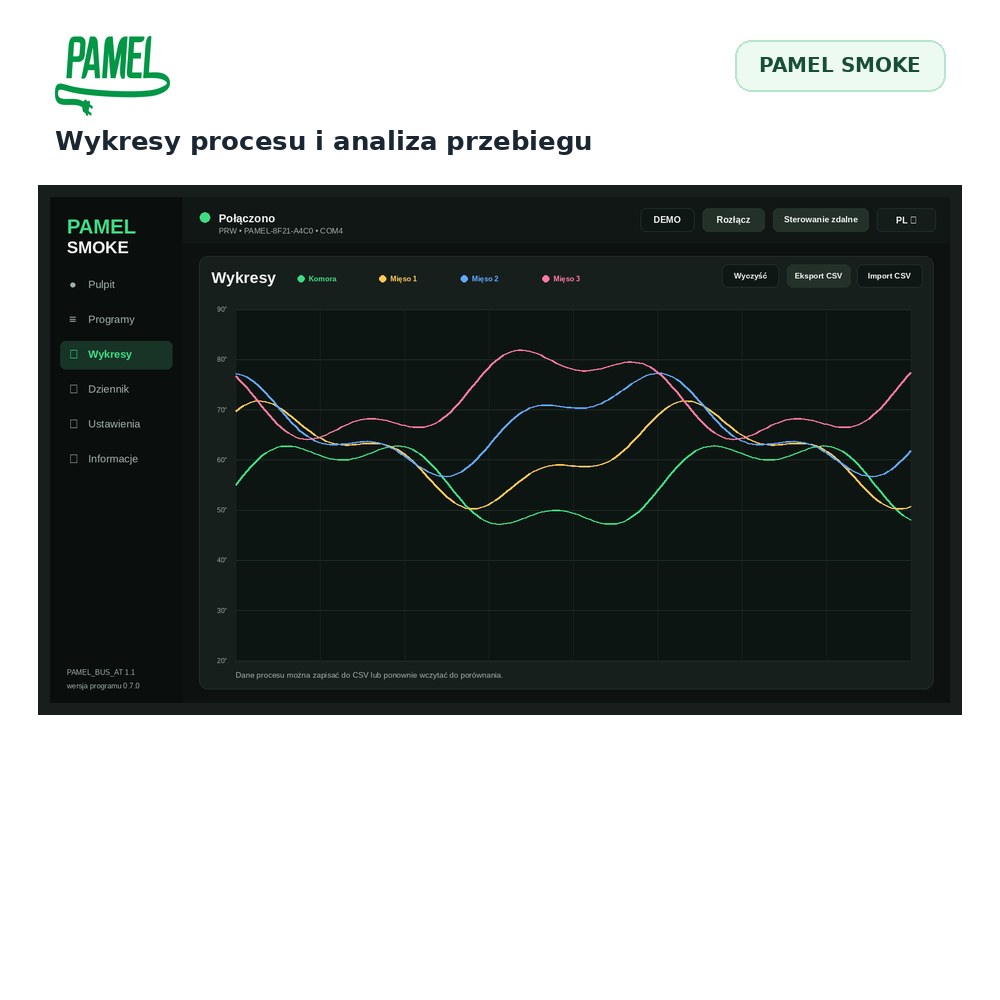
The program displays temperature curves during the process. You can observe how chamber and product temperatures change, compare probes and identify stabilisation or rapid changes.
- separate curve for each active probe
- heater power and process state
- alarm thresholds and events
- zoom and timeline navigation
- process history in one place
Automatic smoking recipes
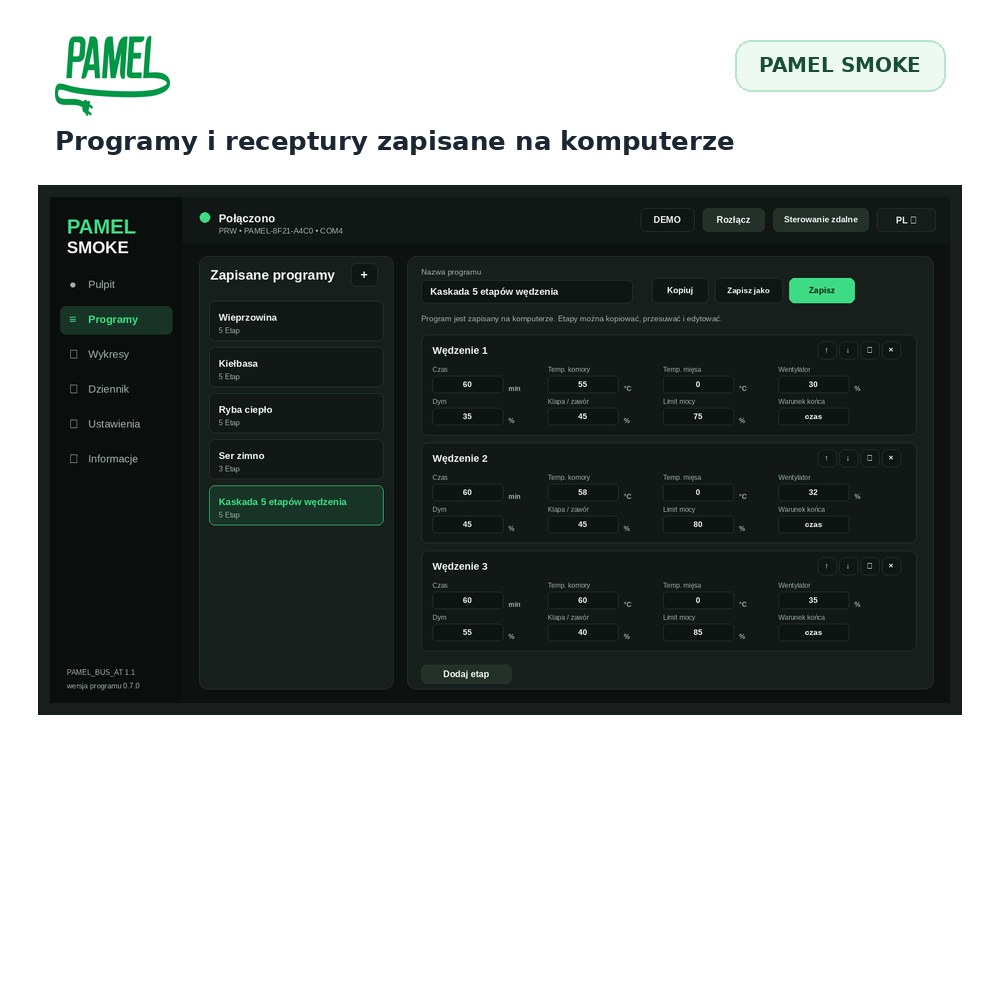
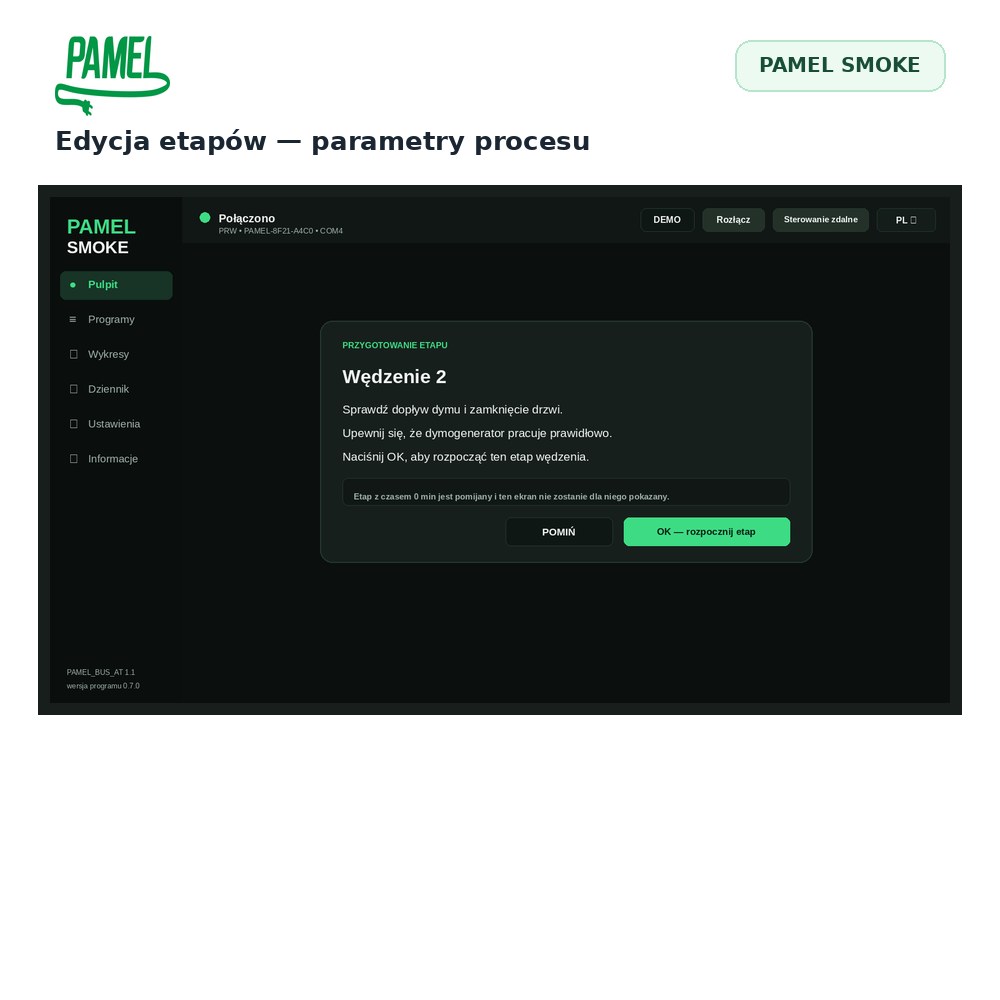
SMOKE can execute multi-stage recipes instead of requiring you to change every setpoint manually. You define stages with temperature, power and duration or transition conditions, and the program carries out the sequence.
Your programmes
Create and save your own smoking programmes for products or processes that you repeat.
Stages and transitions
Each programme can contain successive stages with their own parameters and conditions for moving on.
Save and edit
Recipes can be saved, loaded and modified before the next process.
Automatic programme execution requires the PC and USB connection to remain active during the process.
Local alarms for probes
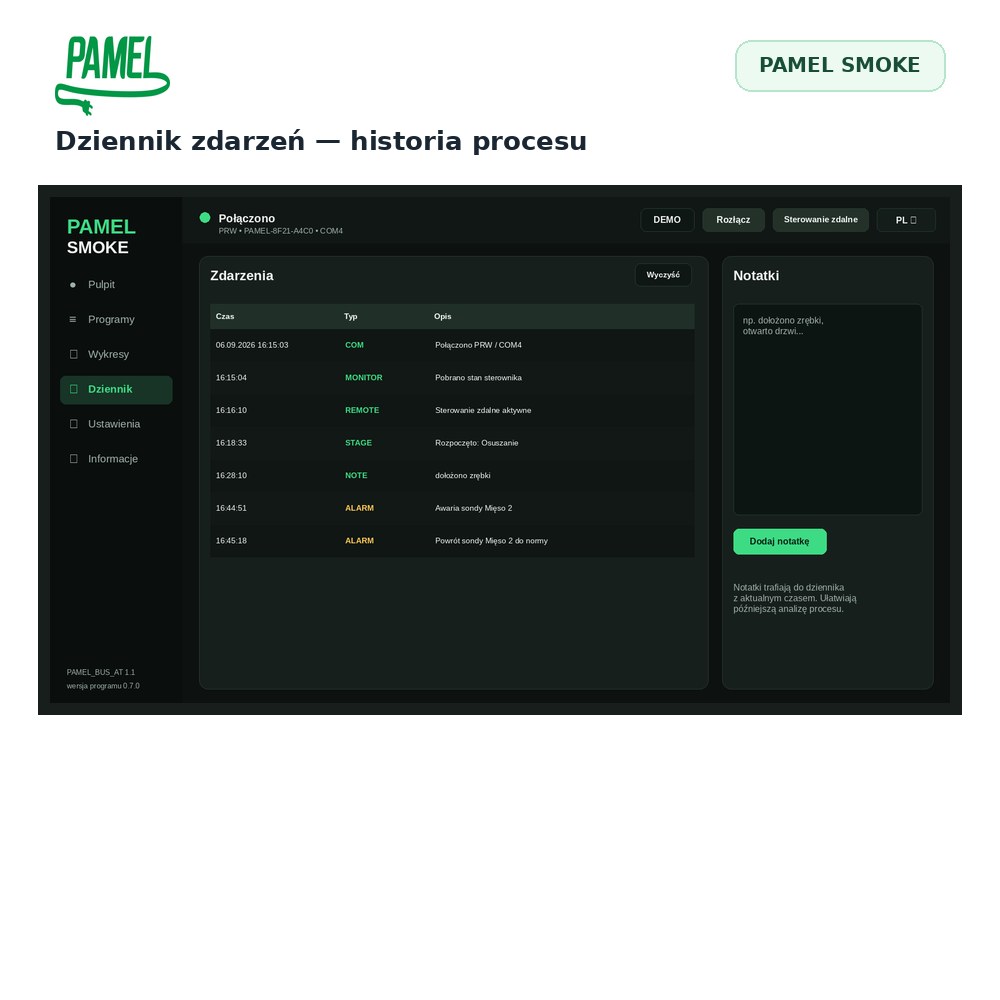
Set lower and upper alarm limits for individual temperature channels. The program displays the alarm and records it in the event history.
- lower and upper limits
- clear visual indication
- event history
- alarm information in reports
Computer as an operator panel
Instead of changing every parameter on a small controller display, you can work from a larger PC screen. This is especially useful in multi-hour smoking processes and when using several probes.
CSV and PDF process documentation
Measurements can be saved to CSV for later analysis and used to create a readable PDF report. This makes it easier to compare processes, keep notes and document repeatable work.

Compatible PAMEL controllers
PAMEL SMOKE is intended for compatible PAMEL controllers equipped with the USB/COM option.
- PRM with USB
- PRD3 / PRD4 with USB
- PRW with USB
PRD2WIFI and TERMO devices use their own communication solutions and are not the target devices for this program.
Key information
| System | Windows |
|---|---|
| Purpose | Monitoring, recording and controlling the smoking process |
| Communication | USB / COM – optional interface required in controller |
| Temperature channels | 1–5, depending on controller |
| Control | setpoints, power and automatic programme stages |
| Charts | live temperature curves |
| Alarms | local lower and upper limits |
| Data | CSV and PDF reports |
| Operation | offline/local – Internet not required for normal use |
Turn the computer into a clear smoking-process panel
With PAMEL SMOKE, a compatible PAMEL controller gains a larger operator interface. You see temperatures, power and history at once and can control the process without constantly working through the controller’s small display.
What does this give you in practice?
- more convenient control of long processes
- a clear view of several probes at once
- automatic repeatable recipes
- CSV/PDF documentation of completed processes
The biggest advantage appears when you repeat similar smoking cycles. Instead of recreating settings every time, you can use saved programmes and compare the results with historical data.
The difference starts with USB
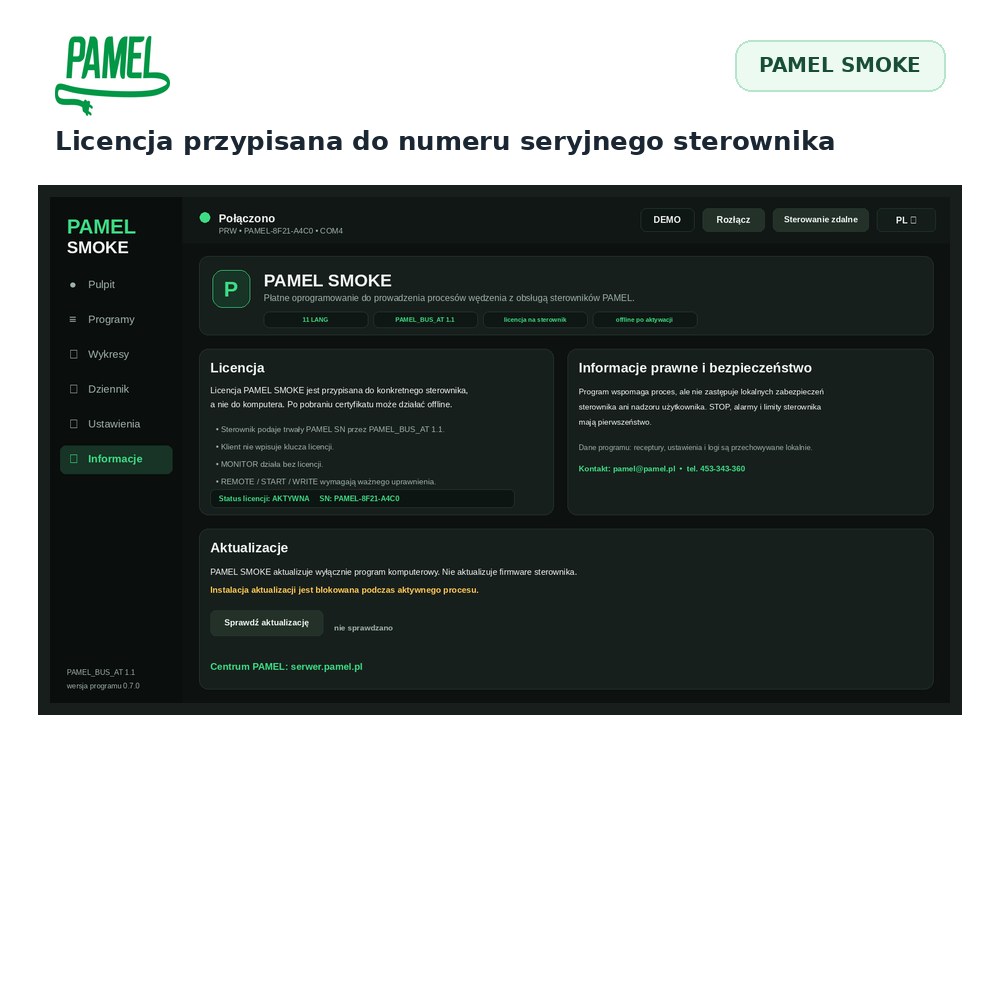
The PC program requires the controller’s optional USB/COM interface. Without it, the controller can still work locally, but it cannot exchange data and commands with PAMEL SMOKE. If you plan to use the software, order the controller with USB.
A controlled local system – no Internet required
PAMEL SMOKE works locally between the computer and controller. Normal operation does not depend on a cloud service or Internet connection. This is useful in workshops and smokehouses where a stable, direct connection is more important than online access.
PAMEL SMOKE – monitor, control and document the smoking process
Use your compatible PAMEL controller with USB as the executive device and your Windows computer as the convenient operator panel.