Description
Temperatures from TERMO on your computer screen and in CSV files
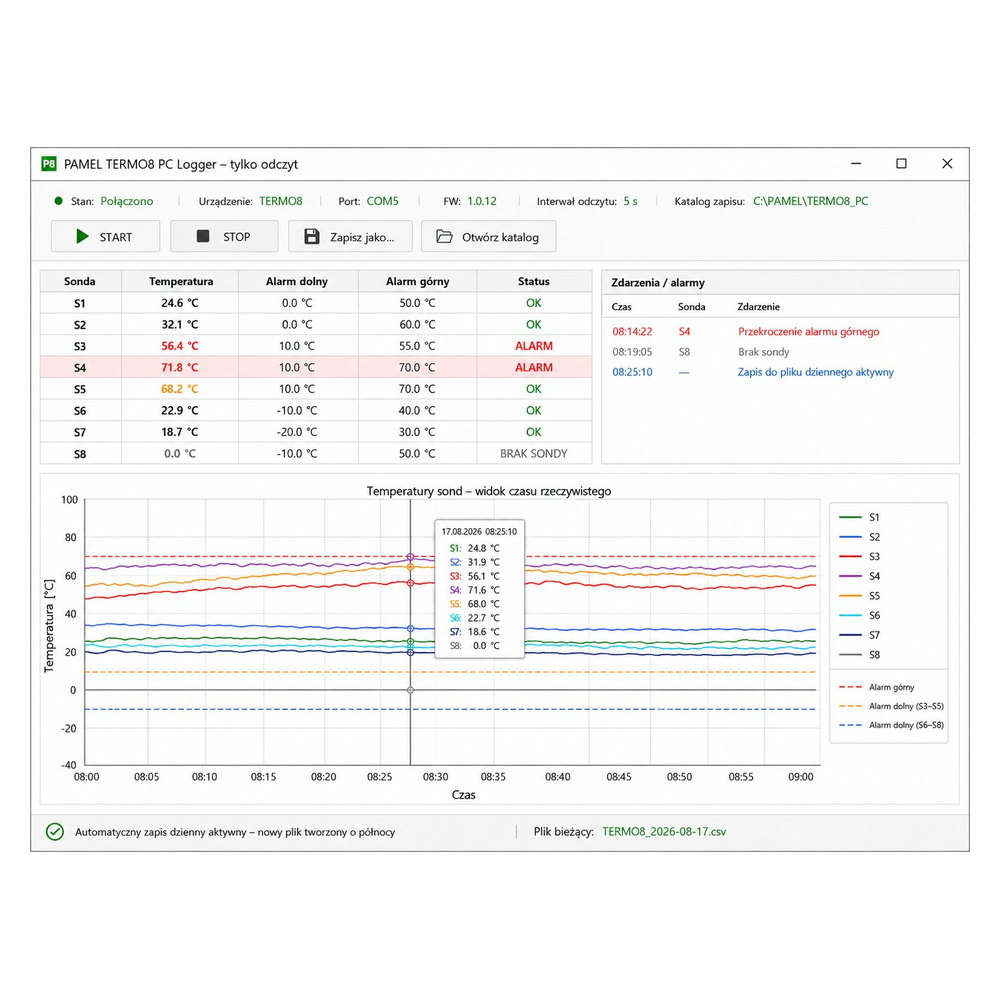
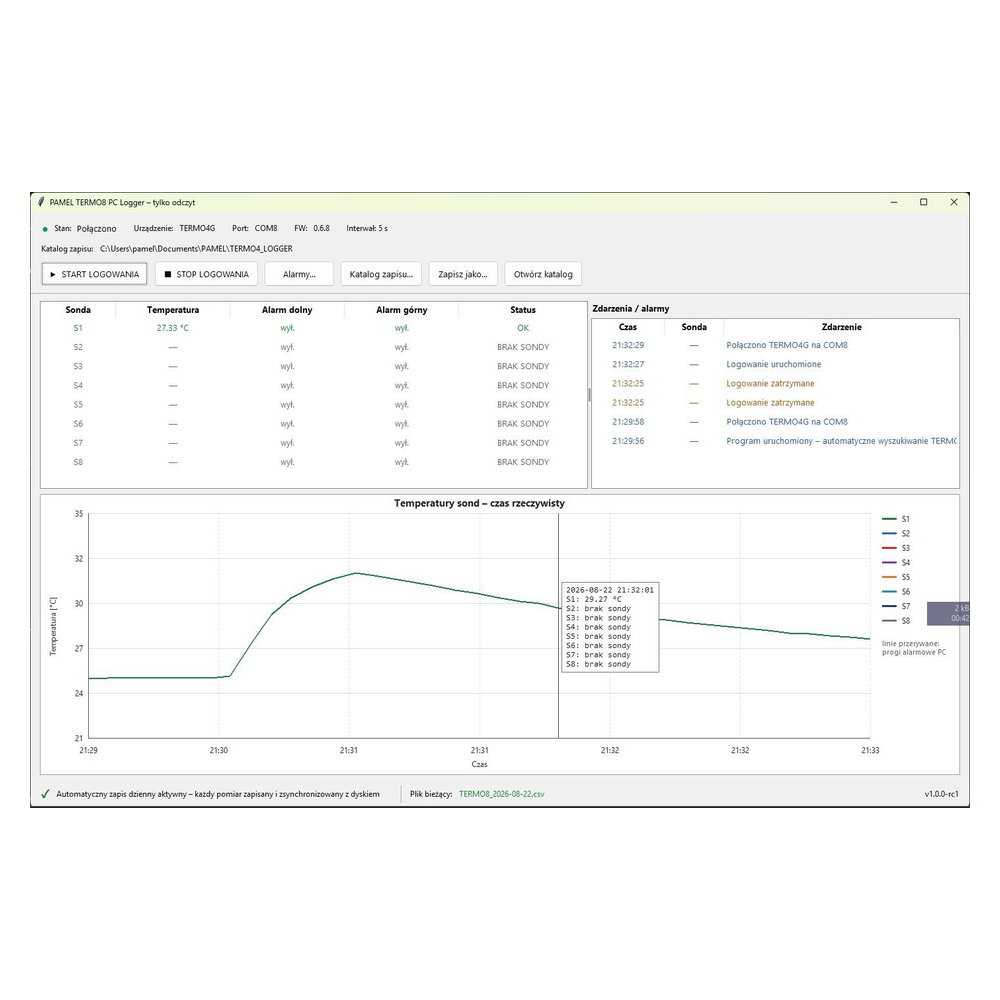
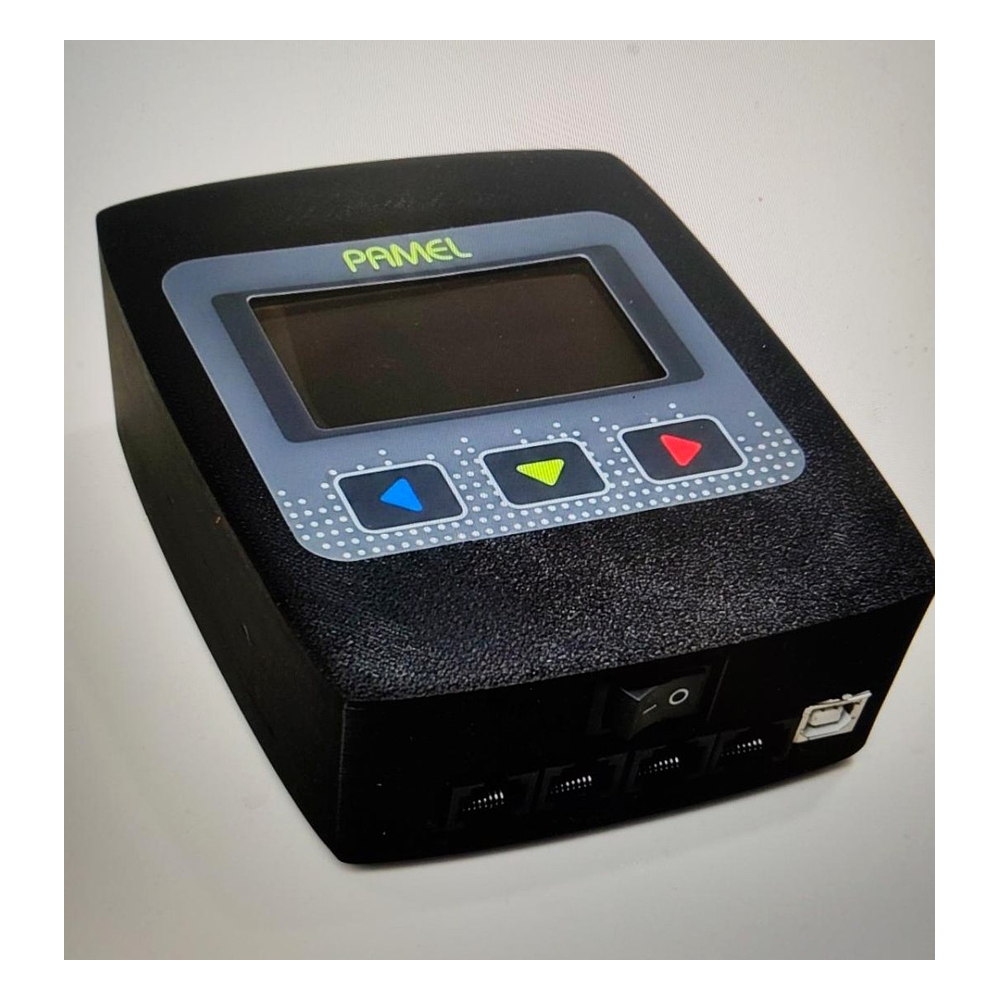
PAMEL TERMO8 PC Logger reads temperatures from a compatible TERMO device through USB/COM and records measurements locally on a computer. It displays up to 8 temperature channels, charts, events and alarms, and automatically saves data to CSV files.

IMPORTANT – USB interface required
To use real measurements in the application, the TERMO device must be purchased with or equipped with the optional USB/COM interface. The software cannot connect to a device that does not have this hardware.
A logger, not a remote controller
The application is designed for reading and archiving data. It does not change TERMO settings and does not send control commands. The computer becomes a convenient station for viewing, analysing and saving temperatures.
Up to 8 channels
The interface supports up to eight probes S1–S8. Not every probe has to be connected – the application also shows missing-probe and read-error states.
Automatic connection
After launch, the application scans COM ports and automatically searches for a compatible TERMO device. You do not need to select the port manually every time.
View continues after STOP
START and STOP control only data recording on the computer. Even after recording is stopped, the application can continue showing current temperatures from the connected device.

Temperature charts and quick process analysis
The logger displays temperature curves from up to eight probes at the same time. You can follow changes over time, inspect values with the cursor and use zooming and timeline scrolling.
- separate curve for each probe
- alarm threshold lines
- chart zoom and scrolling
- quick view of the current day history
- clear probe and event statuses
Automatic CSV recording
Every recorded measurement is saved locally on the computer. The application creates a separate file for each day, so the data can later be opened in Excel, LibreOffice or another CSV-compatible program.
Regular recording
Choose the logging interval: 5 s, 10 s, 15 s, 1 min, 10 min or 15 min.
Daily file
When the date changes, the logger automatically starts writing to a new file without requiring a new manual session.
Save as…
At any time you can create an additional copy of the current real measurement file.
Local alarms for each probe
Set a lower and upper temperature threshold for individual channels. These alarms belong to the PC application and do not change TERMO settings.
- lower alarm
- upper alarm
- missing-probe information
- event and alarm log
DEMO mode
If no compatible TERMO is detected, the application can run in demonstration mode. It shows the full interface with example data, allowing you to see how the application works before connecting a device. Demonstration data is not saved to real measurement files.
TERMO with USB becomes a multi-channel logger
Connecting a compatible TERMO device to a computer lets you use it not only as a local meter, but also as a data source for documenting a process, analysing temperature changes and building a measurement archive.
Connection to the application requires the optional USB/COM hardware in the TERMO device.

Key information
| System | Windows |
|---|---|
| Purpose | Temperature reading and local recording – no device control |
| Number of channels | Up to 8 probes S1–S8 |
| Connection | USB / COM port – compatible USB/COM hardware required in TERMO |
| Data recording | Automatic CSV files, one file per day |
| Logging interval | 5 s / 10 s / 15 s / 1 min / 10 min / 15 min |
| Chart | Up to 8 temperature curves, zoom, scrolling, alarm thresholds |
| Alarms | Local lower and upper thresholds for each probe |
| Without a device | DEMO mode with example data |
Turn temperature into data you can actually use
TermoLogger PC extends simple temperature viewing with process trends, archiving and later analysis. It is useful when you want to compare cycles, document a process or check what happened several hours earlier. Instead of writing values down manually, the software can collect them automatically and build a history you can return to.
More control without complicating the device
The key advantage is that recording is separated from the meter itself. TERMO continues doing its normal job while the computer provides charts, CSV recording and data analysis. You can compare several probes on one screen, observe trends rather than single readings, keep a history and use CSV files in Excel or other analysis tools. Real communication with TERMO requires the optional USB/COM interface.
For users who want to know more
Smoking, distillation, technical testing and process monitoring often require more than a “right now” reading. TermoLogger shows the full temperature trend, helping you assess stability, transitional moments and differences between successive runs. It is a natural extension of the PAMEL TERMO system for users who value repeatability, documentation and computer-based process analysis.
PAMEL TERMO Logger – record temperatures, analyse the process, keep the history
A simple tool for multi-channel viewing and archiving of temperatures from compatible PAMEL TERMO devices equipped with USB.